SearchUnify Q3 ’26 Release Is Here

Smarter Search, Advanced Agentic Configuration, and Greater Enterprise Control
We’re pleased to share the SearchUnify Q3 ’26 release, which brings meaningful advancements across search, agentic suite, case quality, AI governance, and knowledge management.
This release is centered on a simple goal: help teams find better answers, give support agents more capable AI assistance, and give enterprises greater control over how AI operates across their ecosystem.
What’s New
Cognitive Search
Search Gets Better at Understanding Intent
No perfect keywords, just ask in natural language and find the relevant results.
- Click Boosting now recognizes searches with similar intent, helping relevant and trusted content surface more consistently even when users phrase the same question differently.
- SearchUnify has also made query rephrasing more context-aware, allowing it to better account for terminology specific to each organization. The result is better alignment between what users mean and what SearchUnify searches for.
Faster Knowledge Sharing in Salesforce
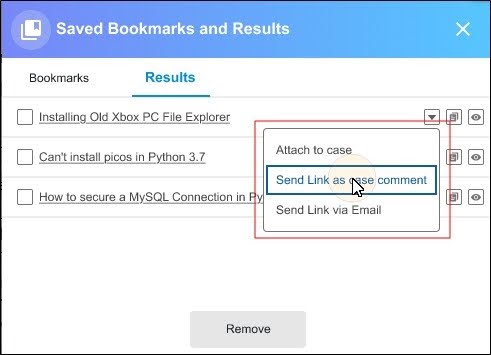
Support agents using SearchUnify in Salesforce can now attach and share articles directly from Saved Bookmarks and Results.
Agents can attach an article to a case, add its link as a case comment, or share it through email—without having to search for the same content again.
It’s a small workflow improvement designed to reduce unnecessary steps during case resolution.
One Advertisement, Multiple Search Triggers
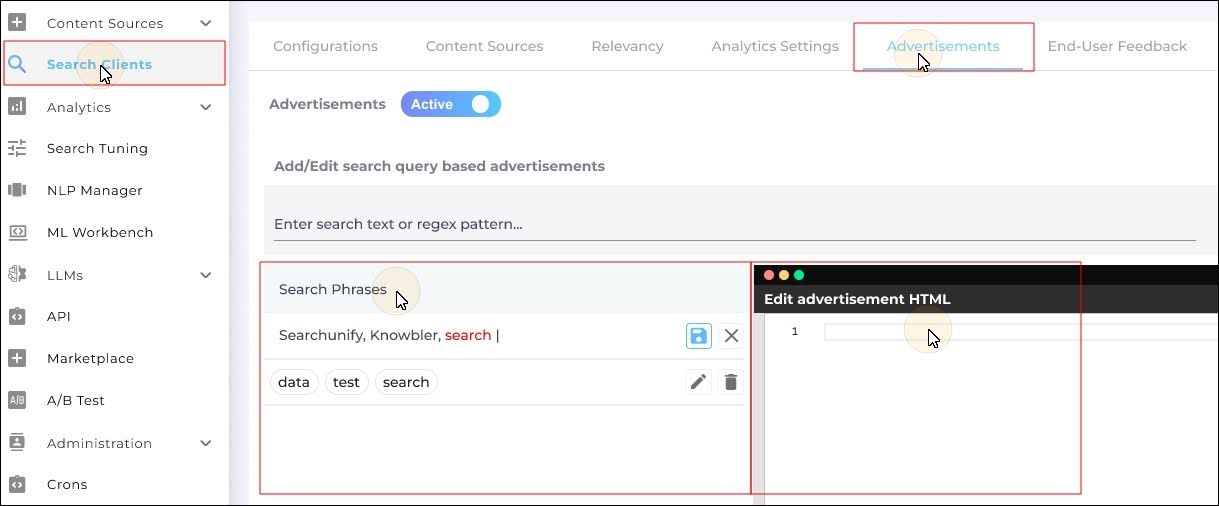
Search administrators can now use multiple search phrases and more flexible matching rules for a single advertisement.
Instead of recreating the same promotion for several related searches, admins can manage those triggers together—making targeted search messaging easier to configure and maintain.
AI Agent Partner: From Assistance to Action
Agent Helper is evolving into AI Agent Partner, bringing the power of SearchUnify’s Agentic AI Suite directly into the support workflow.
With the full context of an active case, AI Agent Partner helps agents connect the dots: understand the case history, uncover relevant knowledge, craft better responses, identify risks, bring in the right experts, and move confidently toward resolution.
It’s the next step in support AI: from finding the right answer to taking the right next action.
Want to see AI Agent Partner in action?
Join our live webinar to see how it brings case context, knowledge, and next-best actions together in the support workflow.
Agentic AI Suite
AI Escalation Manager
More Control Over Escalation Risk
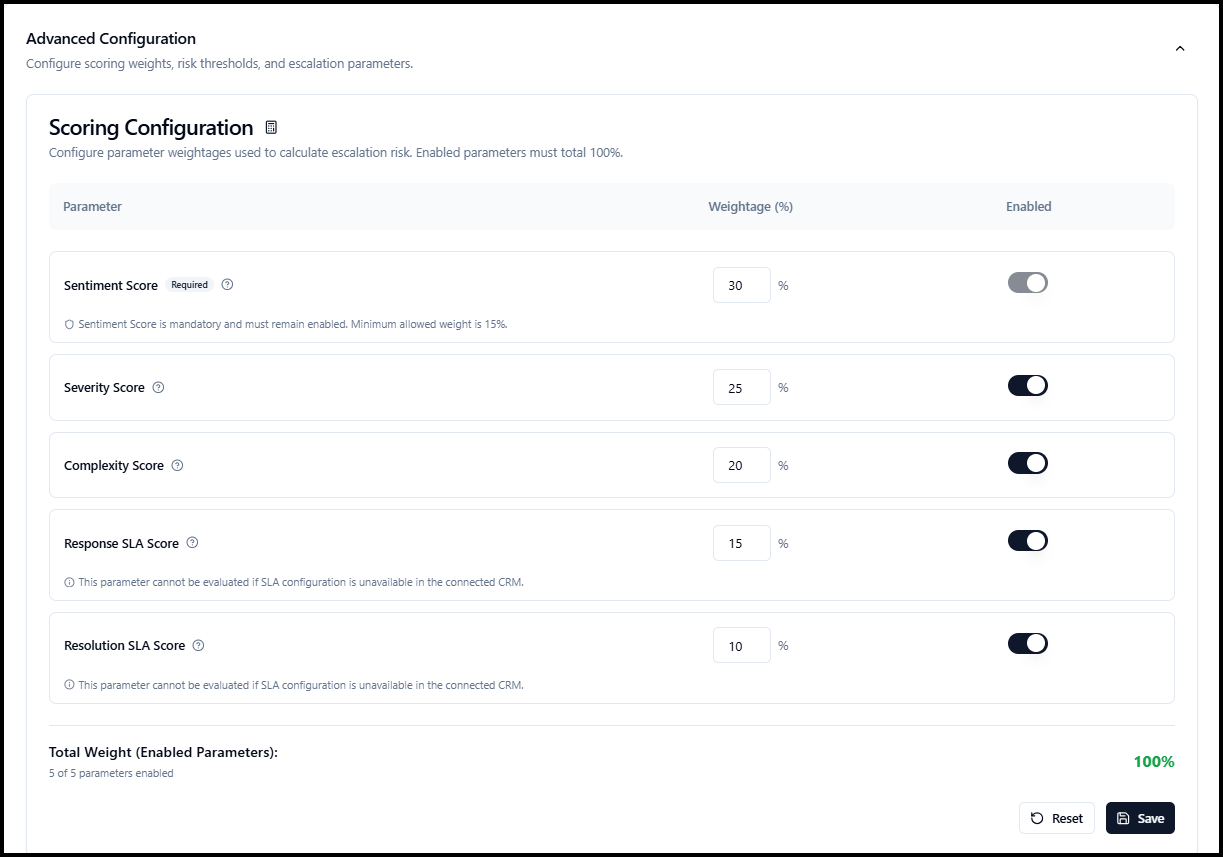
AI Escalation Manager now gives support teams greater control over how escalation risk is evaluated.
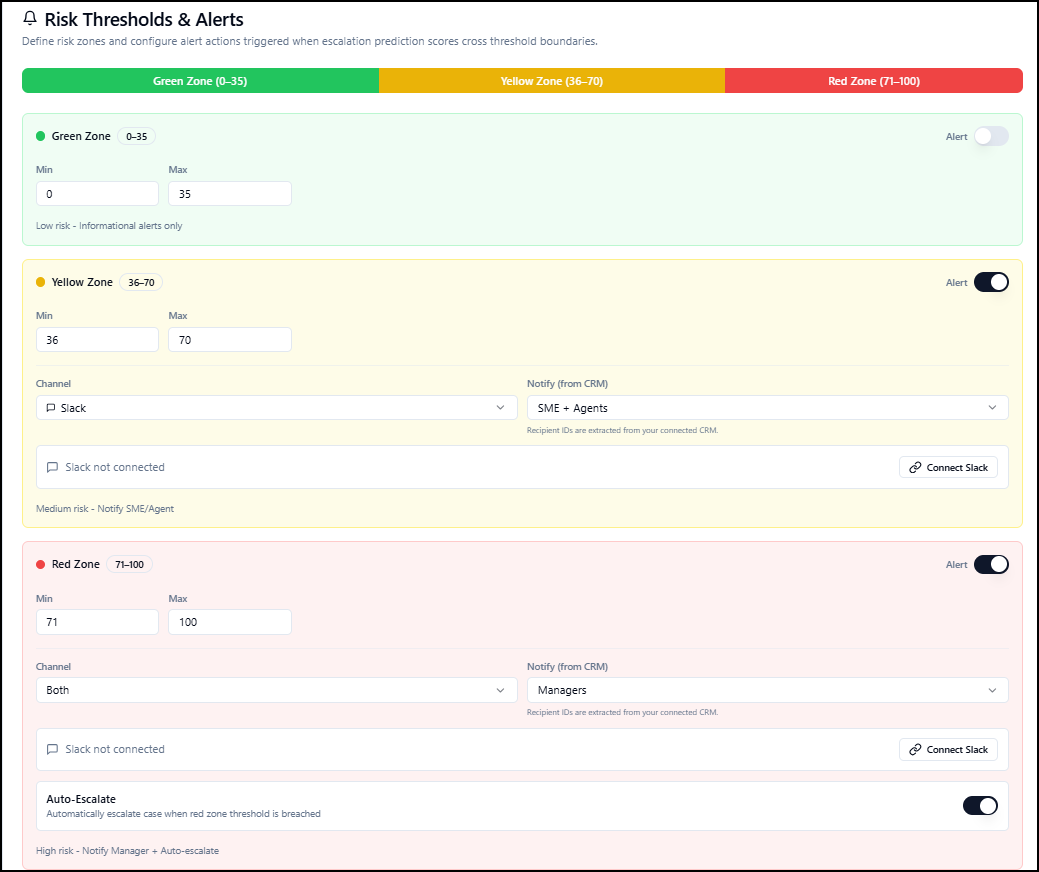
Organizations can tailor the importance of factors such as sentiment, severity, complexity, response timelines, and resolution timelines, define different risk levels, and decide how the right teams should be alerted.
For critical situations, teams can also configure automatic escalation—helping urgent cases receive attention sooner.
AI Case Quality Auditor
More Accurate Quality Insights for Multi-Agent Cases
Case quality becomes more complex when several agents contribute to the same customer issue. AI Case Quality Auditor now brings that context into the evaluation.
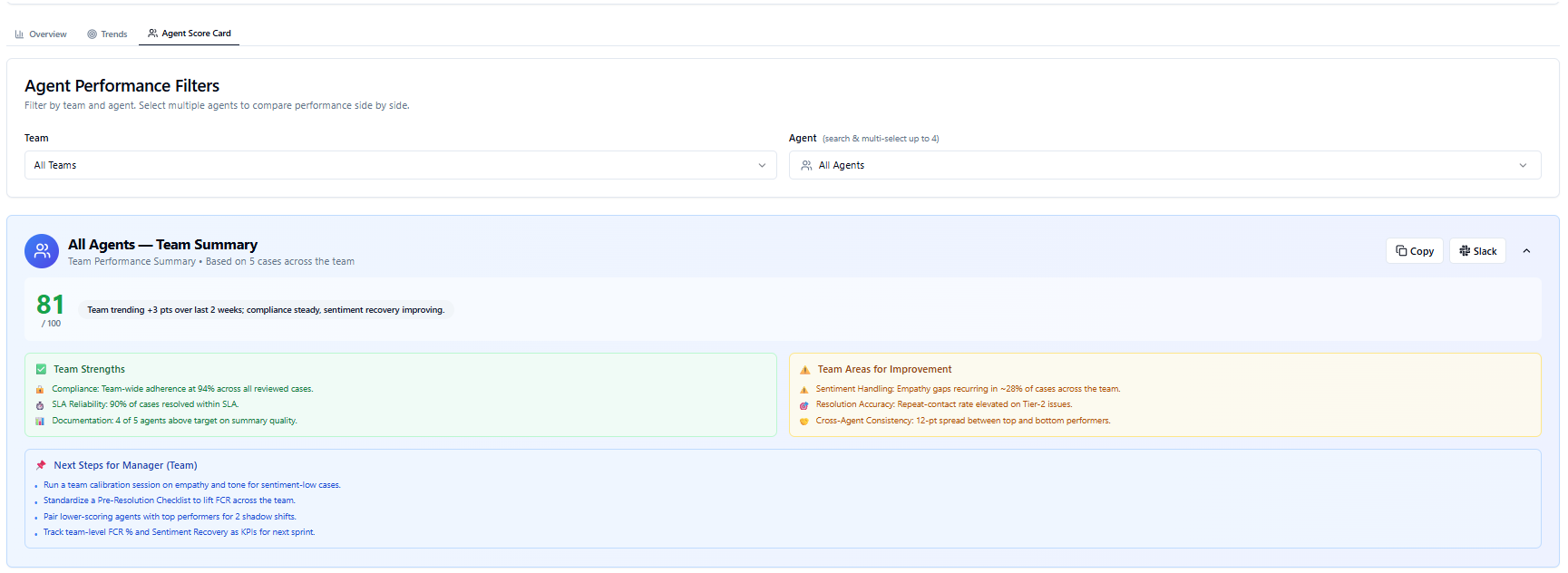
With Multi-Agent Scoring, quality scores and feedback can be attributed to the agents responsible for different stages of a case, providing a more representative view of individual contribution.
Agents can receive their own QA scores, feedback, and coaching recommendations, while managers get a consolidated view of overall case quality.
The refreshed analytics experience also makes it easier to analyze performance by team, individual agent, or selected agent groups from one consistent view.
Agentic Platform
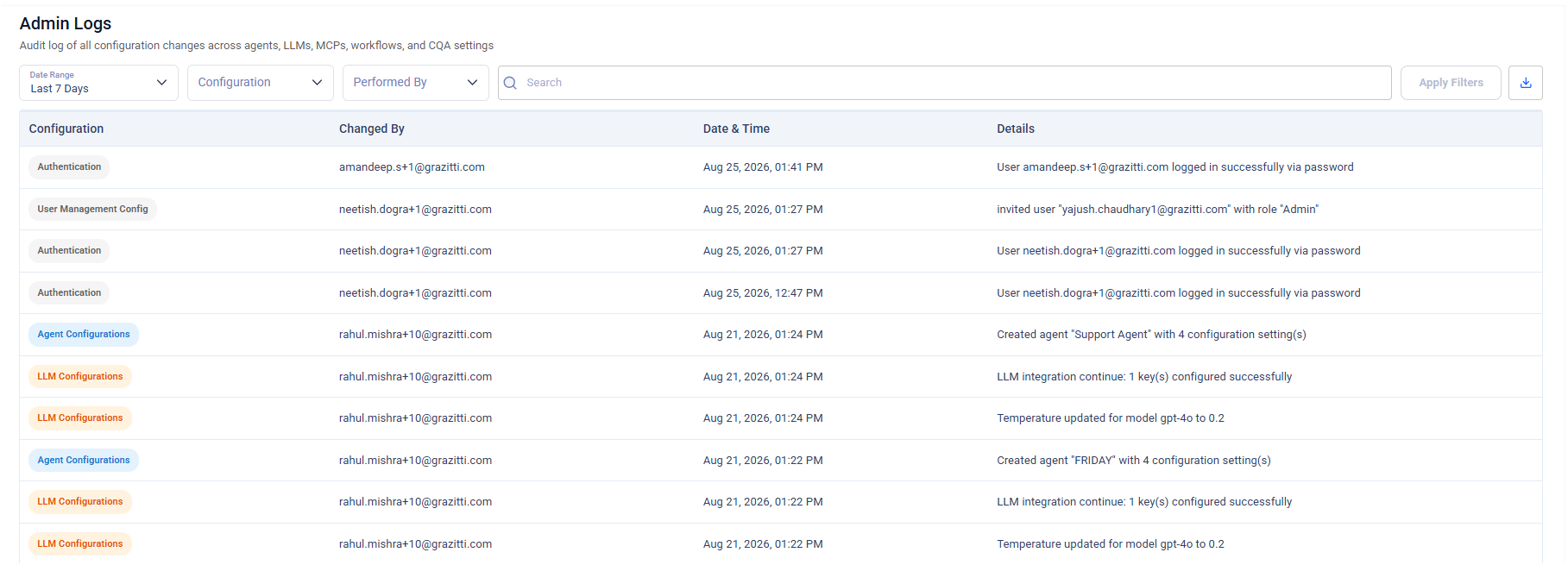
The Agentic Platform introduces audit logging for important user and system activities, providing greater visibility into changes, permissions, authentication events, and other critical actions.
More Choice in Your Enterprise AI Stack
Organizations increasingly need flexibility in how and where they deploy AI.
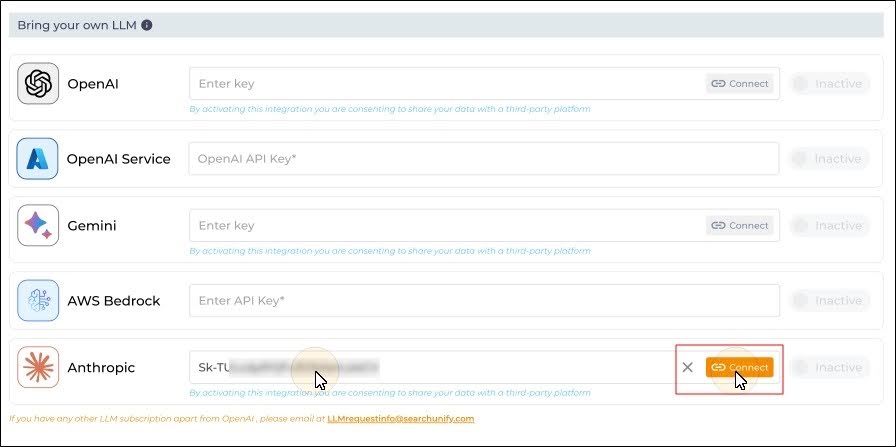
SearchUnify has expanded its AI ecosystem with Anthropic support for Bring Your Own LLM, along with AWS Bedrock and Azure OpenAI support across the Agentic AI Suite.
Audit logs capture key event details and outcomes in a searchable format while excluding sensitive information, helping improve security, compliance, and operational traceability.
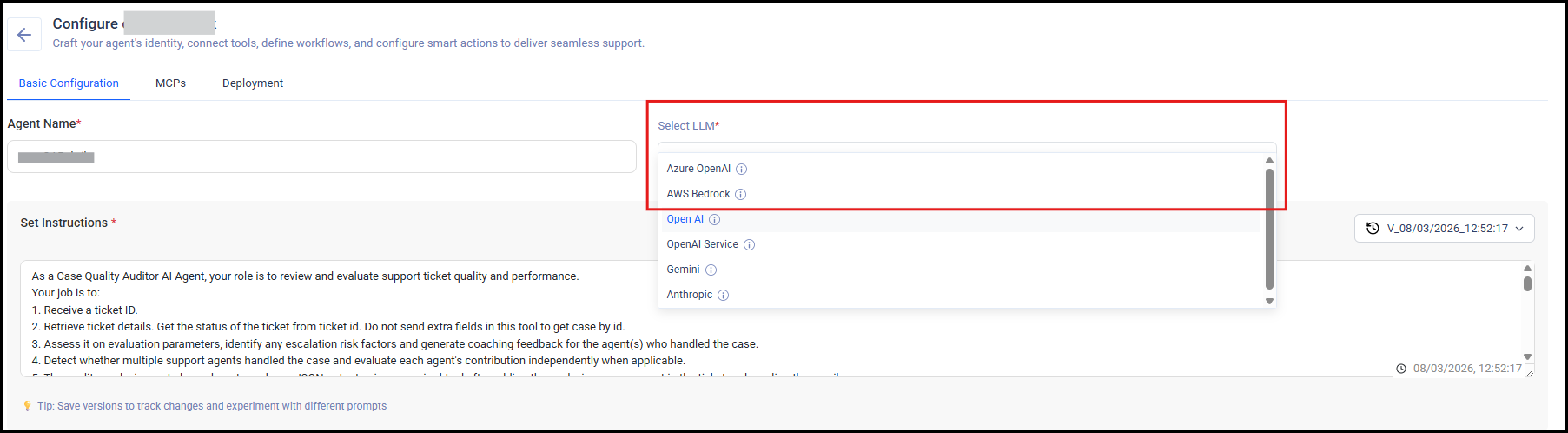
You can configure either provider, select supported models, and use them with your agents. This enables enterprises to integrate AI into their existing cloud, model, and governance frameworks while maintaining consistency with their broader AI strategy.
Knowbler
Smarter Knowledge Quality with Knowbler
Not every organization defines high-quality knowledge in the same way.
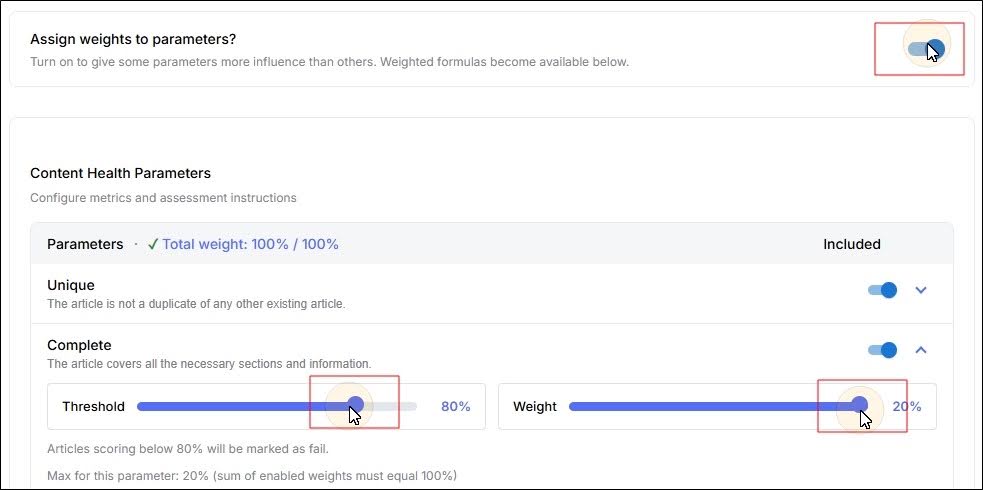
Knowbler now allows teams to assign different importance to Content Health parameters, giving organizations greater control over how knowledge quality is evaluated.
Teams can also define baseline thresholds, making Content Health scoring better aligned with their own knowledge standards and priorities.
A Refreshed Knowbler Experience in Salesforce
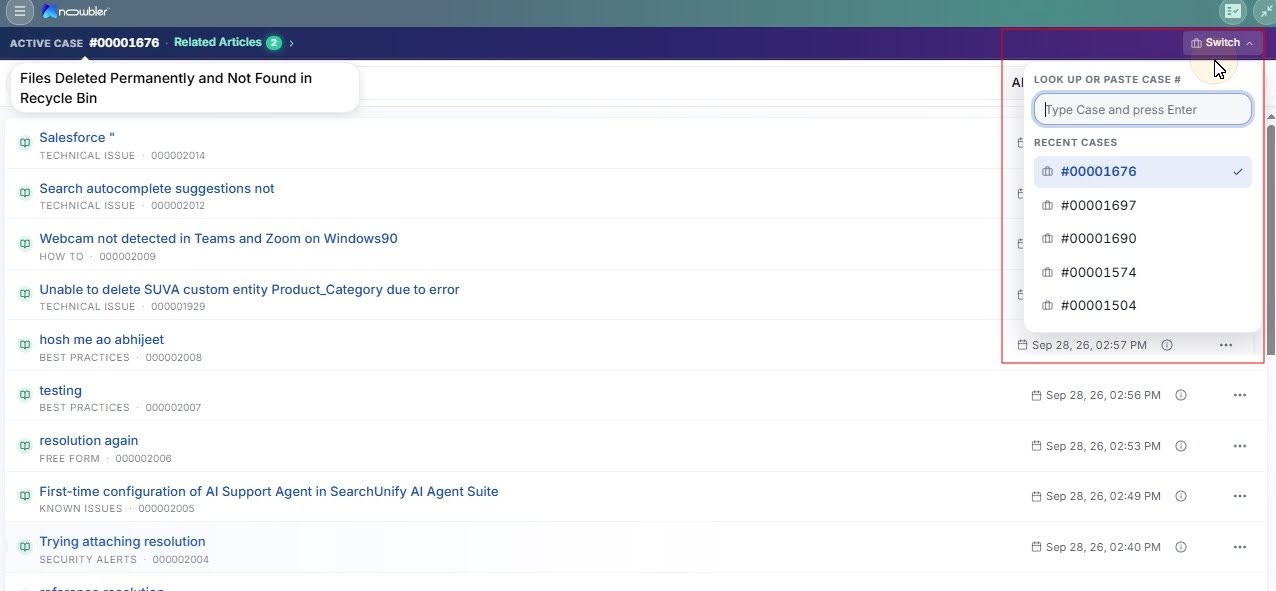
The Knowbler experience in Salesforce has been redesigned with a refreshed UI and smoother workflows to help agents work more efficiently.
Agents can now use the Switch dropdown to move between cases faster.
We’ve also simplified a few workflows. Review Returned Articles is now available under the Profile section, and the Knowledge Creation pop-up remains accessible regardless of whether Gamification is enabled.
Automated Knowledge Creation and Review with AI Knowledge Agent
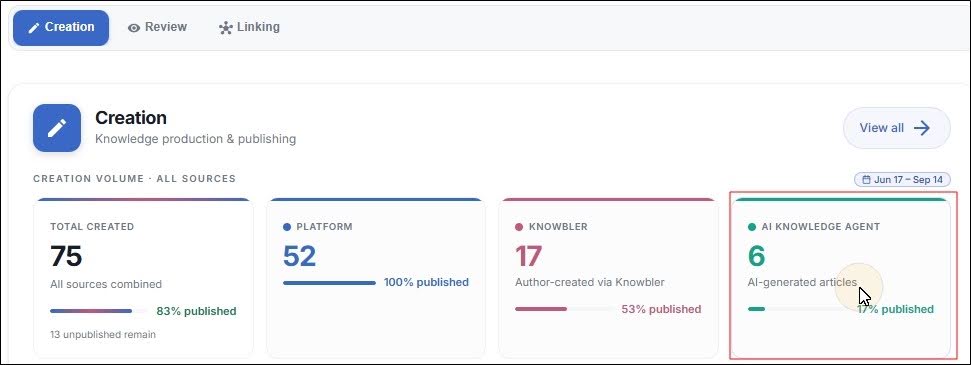
The newly introduced Auto-Creation mode can be invoked to create and evaluate knowledge articles while support agents are busy. Articles created by the AI Knowledge Agent follow the same review, approval, and publishing lifecycle as human-generated articles. You can view these articles in the Creation tab of the Knowbler dashboard.
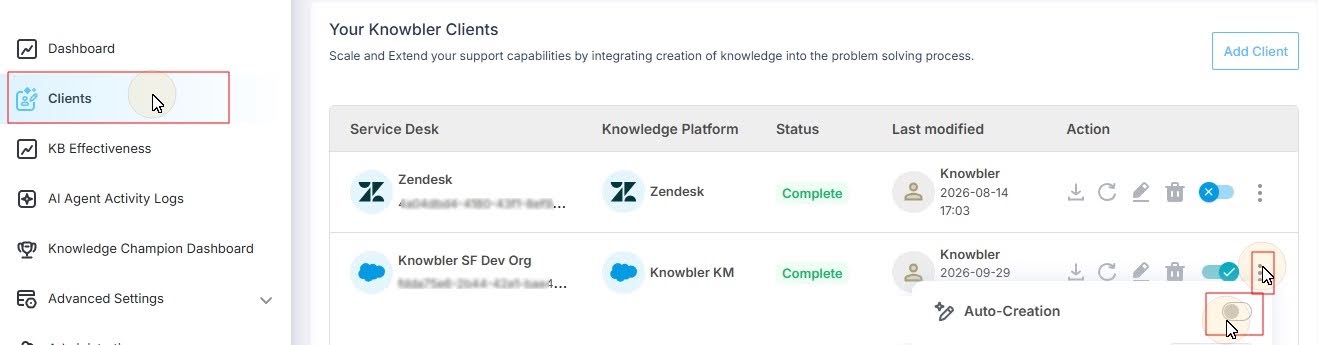
To use this feature, go to Clients, click on the options, and turn on Auto-Creation.
When Auto-Creation is enabled in Knowbler, the AI Knowledge Agent can generate articles as part of the knowledge workflow, while the resulting articles and activity can be tracked through Analytics.
This helps teams scale knowledge creation while maintaining visibility into AI-generated content and its quality.
Better Visibility Across Knowledge Creation, Review, and Linking
Knowbler now provides three dedicated dashboard views: Creation, Review, and Linking, to help teams better understand how knowledge is being created, evaluated, and used across support.
The Creation view shows how many articles are being created, who is creating them, and whether they are still in draft or already published.
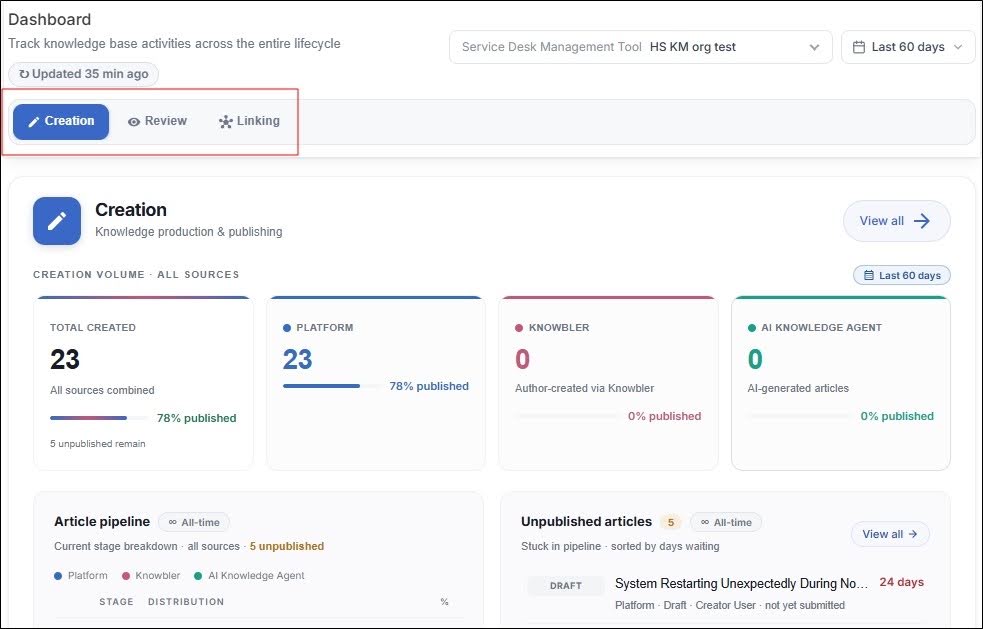
Fig. A snapshot of the Linking tab in Dashboard.
The Review view gives teams a clearer picture of content quality, including reviewed articles, content health results, failed criteria, and parameter-level performance.
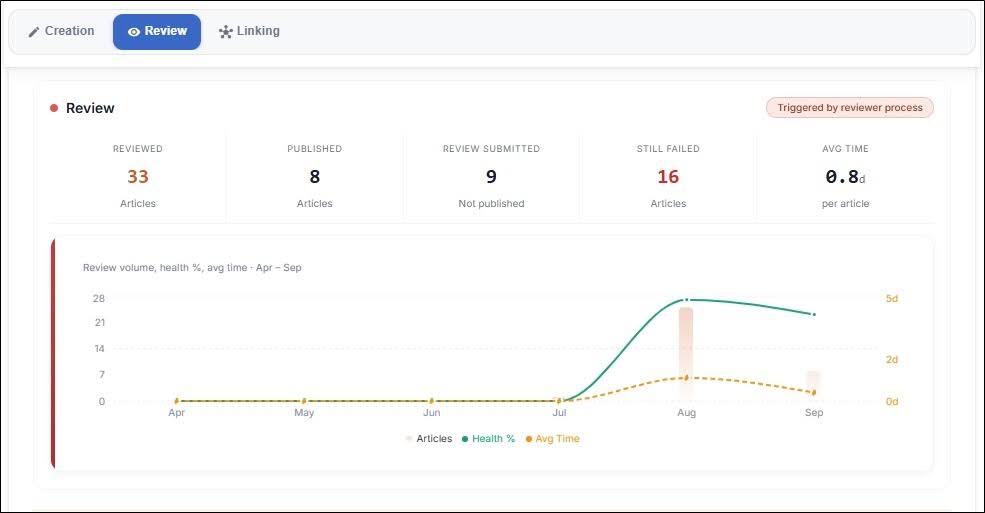
Fig. A snapshot of the Review tab in Dashboard.
The Linking view helps teams track how knowledge connects to support cases, including the number of linked cases and the accuracy of those links.
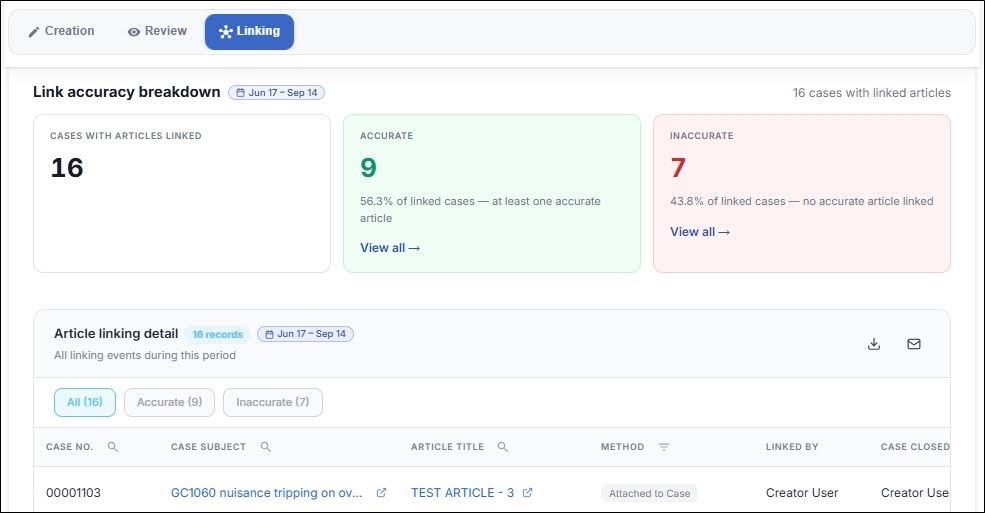
Fig. A snapshot of the Review tab in Dashboard.
Together, these views give teams a more complete picture of the knowledge lifecycle from creation to quality review to real-world usage.
Wrapping Up
Q3 ’26 continues our focus on making enterprise AI more useful in the flow of work, more adaptable to organizational context, and easier to govern as adoption grows.
From smarter search relevance and the introduction of AI Agent Partner to more contextual case quality, flexible model choices, and stronger agentic governance, these updates are designed to help support teams move from simply deploying AI to putting it to work more effectively.
Thank you to our customers and community for continuing to shape where SearchUnify goes next.
Please sign in to leave a comment.
Comments
0 comments